ZUL://DOCSPRIVACY LAYER 2 — SETTLED ON SOLANA
INDEX
INTERFACES — /docs/backpack

Add ZUL to Backpack

Backpack can hold ZUL natively — no special build, no extension fork. Because the chain speaks Solana's RPC protocol, you simply point a network slot at https://rpc.zul.so and the wallet treats the L2 like any other chain. Four steps, screenshots below. The same walkthrough lives on /bridge under How to add network.

Install Backpack

Install Backpack from backpack.app and create or import a wallet. The standard release is all you need.

Enable developer mode
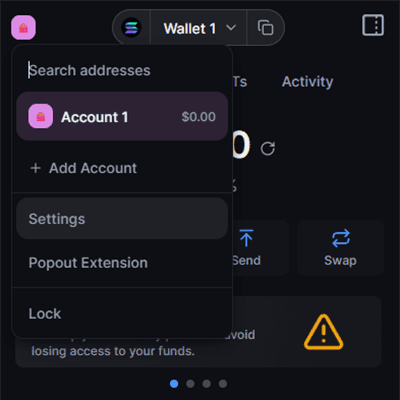
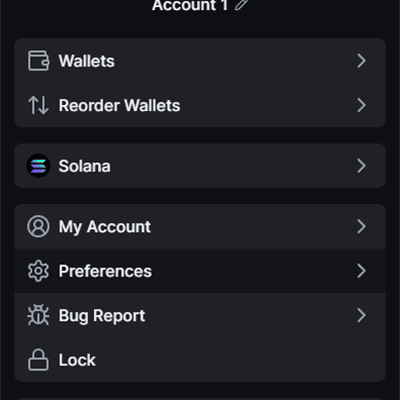
Enable developer mode — Open the account menu in the top-left corner and choose Settings.
Open the account menu in the top-left corner and choose Settings.
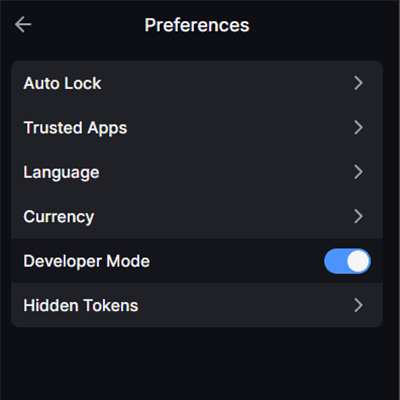
Enable developer mode — In Settings, open Preferences.
In Settings, open Preferences.
Enable developer mode — Toggle Developer Mode on. This unlocks the test networks Backpack hides by default.
Toggle Developer Mode on. This unlocks the test networks Backpack hides by default.

Add Solana Devnet

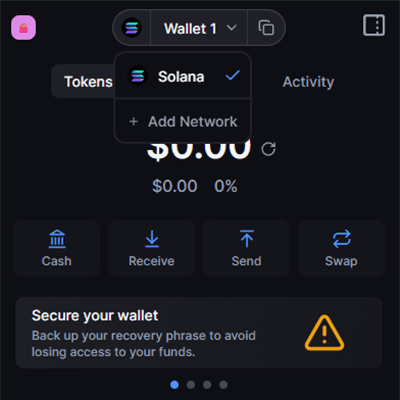
Add Solana Devnet — Back on the home view, open the network switcher in the top bar and press + Add Network.
Back on the home view, open the network switcher in the top bar and press + Add Network.
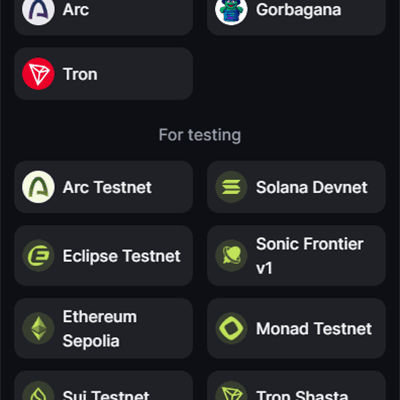
Add Solana Devnet — Pick Solana Devnet under “For testing”. Bridge deposits start from devnet SOL.
Pick Solana Devnet under “For testing”. Bridge deposits start from devnet SOL.
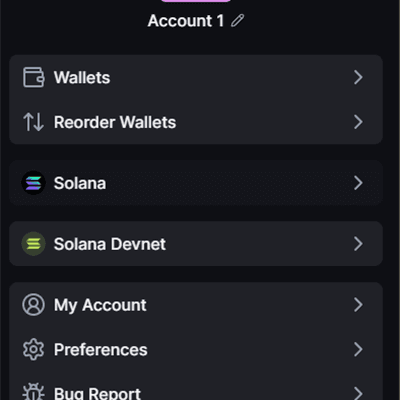
Add Solana Devnet — Solana Devnet now appears alongside Solana in your settings — the L1 side is ready.
Solana Devnet now appears alongside Solana in your settings — the L1 side is ready.

Point the mainnet RPC at ZUL

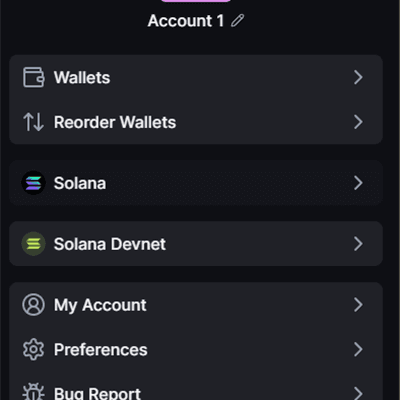
Point the mainnet RPC at ZUL — Open Settings again and tap the Solana (mainnet) network entry.
Open Settings again and tap the Solana (mainnet) network entry.
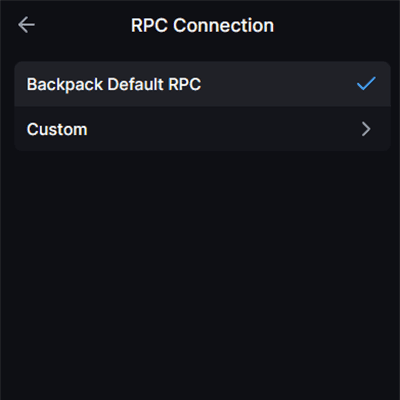
Point the mainnet RPC at ZUL — Choose RPC Connection, then Custom.
Choose RPC Connection, then Custom.
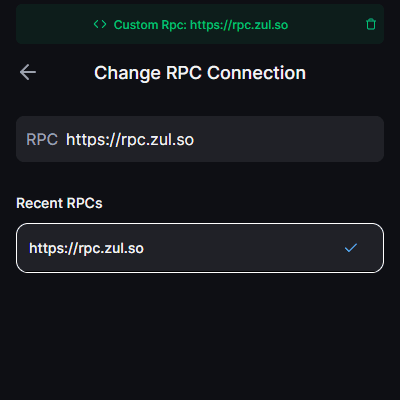
Point the mainnet RPC at ZUL — Enter https://rpc.zul.so and press Update. The mainnet slot now reads ZUL — L2 balances and transfers appear natively in Backpack.
Enter https://rpc.zul.so and press Update. The mainnet slot now reads ZUL — L2 balances and transfers appear natively in Backpack.
READS “SOL” — IS ZUL

After the switch, Backpack still labels the native balance “SOL”with Solana branding — wallet providers cannot be told a chain's native token name. The amount it shows is ZUL, the chain's native token: 1 displayed “SOL” = 1 ZUL. The explorer and bridge always display the real unit.

WHY THE MAINNET SLOT

Backpack lets you change each network's RPC endpoint, and the bridge uses devnet for the L1 side — so the mainnet slot is the free one. Pointing it at https://rpc.zul.somakes ZUL balances, transfers, and the faucet's airdrops appear natively in the wallet. Switch the RPC back any time to return the slot to Solana mainnet.